





Ask an Attorney a Question for FREE!
The Accident Police Report
It could be the most important piece of information in determining who is at fault for an accident
Simply put: you need to acquire and understand the accident police report if you are in a collision. Click here for a list of reports by state.
If you know which police agency wrote the report, then you should not have many problems figuring out which law enforcement agency responded to your accident.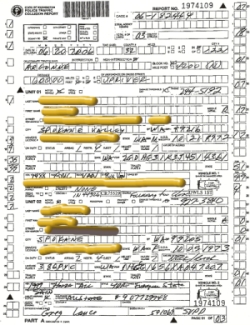
Sometimes there are different police departments involved so it is difficult to determine who wrote the final report. Sometimes both agencies do, sometimes they do not.
If you do not remember exactly what agency responded to the accident, then look at the “Crash Information Form”, or the "Information Exchange Form" (it is called different things depending on your state).
These forms are the pieces of paper the police gave you before you left the scene of the accident. However, they are not the actual accident police report. Nevertheless, they contain very important information about your accident.
Names, insurance information, policy numbers, location of the accident, approximate time, and what vehicles were involved should all be there.
In this form, you can find out which police agency responded to the scene (Sheriff Department, County Police, State Patrol, etc.).
The next step is to actually go to the police station and request a copy of the police report.
Since you are a party to the accident, they will release the information as soon as it is available. Explain that you need this report so the insurance company process your claim.
The police department "knows" what you are doing. They will be willing to help you. Most states charge a fee for these reports ($5 to $15), depending on how many pages the report has.
Update: Many states are delaying and withholding police reports by requiring insurance companies to have written authorization from a party involved in the accident. This new requirement is making the process longer as the insurance company must provide you with a form for signature. If they mail you the form, it will take a couple of days. Then you have to sign and mail back to your adjuster, a couple more days. Then the adjuster must mail the form in, with the proper fee, to the proper law enforcement agency or the records department.
Sometimes this process will take up to two weeks!
You can see how inconvenient and how many problems this new requirement could cause in certain claims. Coverage, often times, depends on that police report.
Instead of waiting for an adjuster to send you the paperwork; be proactive and go to the police department and request the records yourself.
Since you are a party to the accident, the law enforcement agency should make the report available to you as soon as possible. You will have to pay the fee, but if you keep the receipt, insurance companies are very good at reimbursing you for this expense.
If the accident was bad enough, police officers often take pictures.
Make sure you request all photographs (there will likely be an extra fee for that). From the time you request the report, it will take about two to three business days to get your accident police report.
But what if the police did not respond to your accident?
You could go to a police station and fill out a walk-in accident report. Simply go to the closest police station, as soon as possible, (if you are injured, then it is advisable that you go after you are checked out by a doctor).
If you do not have time to go to the police station, you can ask for the form, take it home, fill it out, and then drop it off (or fax it) the next day.
Another way to do this is to go online and file the report there. Not all states have this option available, but it is worth your time to check if your state does as it could save you a lot of time.
Once you file the police report, or you get a copy of it, you will get something like this:
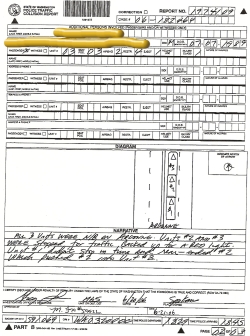
The above report is a Washington state police report.
The names were redacted to protect the innocent (and the guilty). As you can see, the report is confusing.
There are codes, numbers, and short blurbs to the left and right boxes. Also, there is no actual statement from the police! To learn how to interpret the codes in the police report, click here.
To download a blank police report, you will need Adobe Reader (the latest version is recommended) installed on your computer in order to open and read these reports. You can get Adobe Reader for free here (a new window will open so you can download without leaving this page). There is a list of all reports at the bottom of this page.
If you want to open the file in your browser window, you can simply click on the link. However if you want to download the file to view later, then right click on the link and choose "Save Target As" or "Save File As”. Then select where you want to save the file on your hard drive.
Once you have finished saving the file, double click to open.
In order to print, open the downloaded file, and select the "Print" option from the pdf file menu.
Idaho |
|||
Bodily Injury eBook
Traffic ticket eBook
Total Loss eBook
1. Recorded Statement
2. Police Report
3. Overlay Sheet (Interpretation of Police Reports)
4. Accident Photos
5. Accident Diagrams
6. Accident Videos
7. Vehicle Damage Estimate
8. Length of Time of the Auto Insurance Claim
Find a Qualified Attorney in Your City
|
For a Free Review of Your Case
Please Call (866) 878-2432 |

Auto Insurance Claims Home | Auto Claim Questions | Free Newsletter |
Best Insurance Carriers |
About Agents |
Claim vs Rate |
Accident Photos | Calculate Pain and Suffering | Calculate Pain and Suffering Settlements |
Driving Tips |
Claim Blog |
Auto Claim Forum |
Find a Lawyer |
Attorney Directory |
Site Policies |
Your Host |
Contact Us |
Sitemap |
Quiroga Law Office, PLLC
505 N. Argonne Rd.,
Suite B-109
Spokane Valley, WA 99212